Scan a file,
then let it fly.
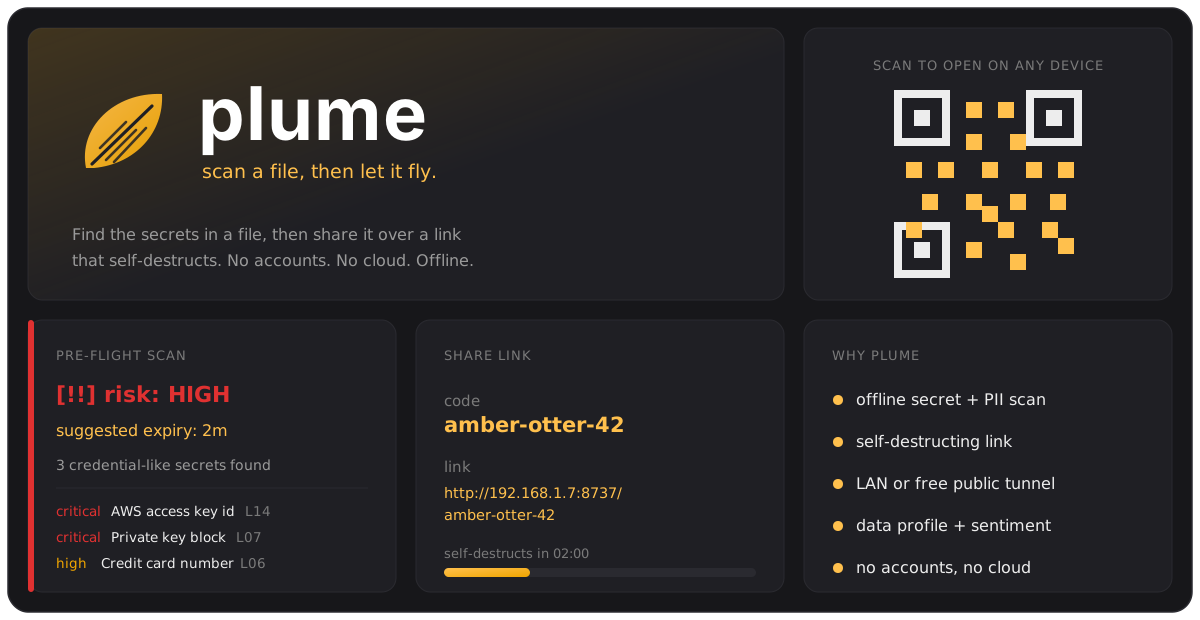
Plume is a command-line file-sharing tool. Before a file leaves your machine it scans for secrets and personal data, then serves it over a self-destructing link with a QR code. Offline intelligence. No accounts. No cloud.
pipx install plumefile
See it work
One command tells you what is inside
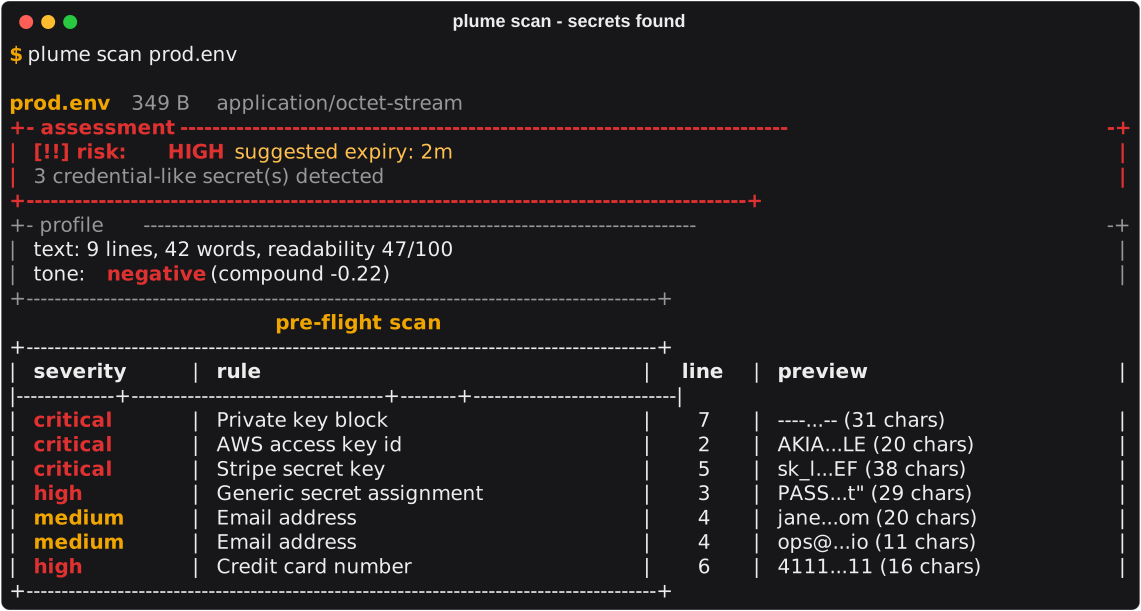
plume scan inspects a file and
prints one insight card. Here it is on a config file with a planted AWS key, a Stripe key
and a private key block.
Why Plume
A pre-flight pass, then a link that expires
Secret and PII scan
An offline regex ruleset finds private keys, cloud keys (AWS, Google, Stripe), GitHub and Slack tokens, JWTs, passwords, emails, IPs and Luhn-checked card numbers. Findings are redacted before they are shown.
Risk to expiry
A deterministic cascade turns the signals into low, medium or high and suggests a link lifetime. A live-looking credential forces a 2 minute default.
Data + text profile
CSV, TSV and JSON get row, column, dtype and null counts. Text gets word counts, readability and offline sentiment.
LAN or free tunnel
Shares over your local network out of the box, or a free public
*.trycloudflare.com URL with
--tunnel. No Plume-run servers.
Self-destructing
The link stops working at its expiry, with a grace window so a slow download still finishes. Chunked streaming, a 1.5 GB cap, nothing stored in the cloud.
Quickstart
Four commands
# inspect a file without sharing it
plume scan customers.csv

# scan, then seed it over a self-destructing link + QR
plume share report.pdf
plume share ./project-folder        # a folder is zipped into one archive
plume share secrets.env --tunnel     # also expose a free public URL

# receive by link or by code
plume get http://192.168.1.7:8737/amber-otter-42
plume get amber-otter-42 --host 192.168.1.7:8737 --out ./downloads
plume scan <path>
Run the pre-flight intelligence pass and print the insight card. Pure local.
--quiet, -qskip the banner
plume share <paths...>
Scan, then seed the file(s) over a self-destructing link with a QR.
--expire, -e2m, 5m, 10m, 1h, or 45s--tunnel, -tadd a free public URL--no-scan/--yes, -y
plume get <url|code>
Download a shared file with a progress bar and an ETA.
--host, -hhost:port for a bare code--out, -osave directory
plume serve
Run a persistent serving host for shares registered on this machine.
--port, -pdefault 8737